
















トヨタハイエース タイヤ交換
2014年05月13日
工場の鈴木です
本日は
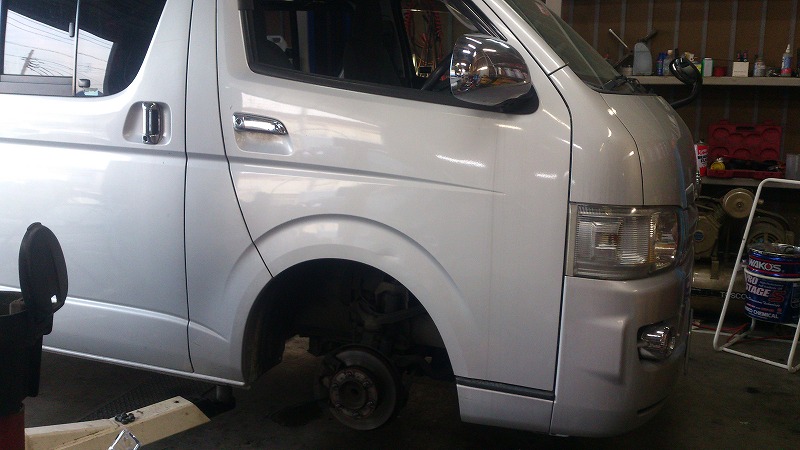
ハイエースのタイヤ交換です
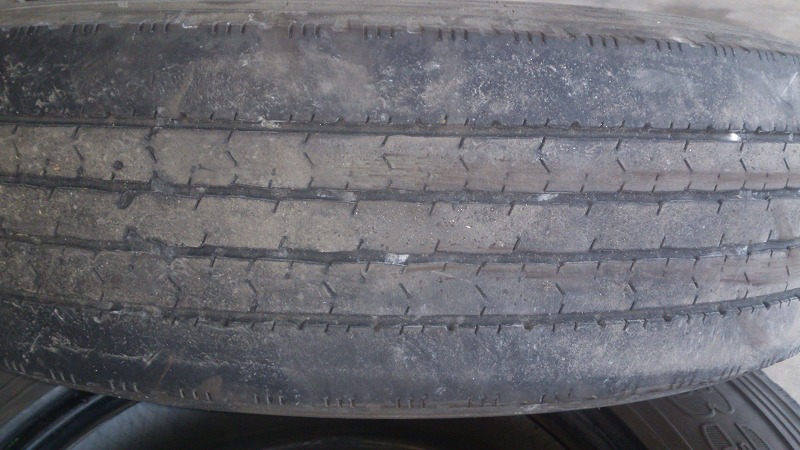
もうツルツルでした
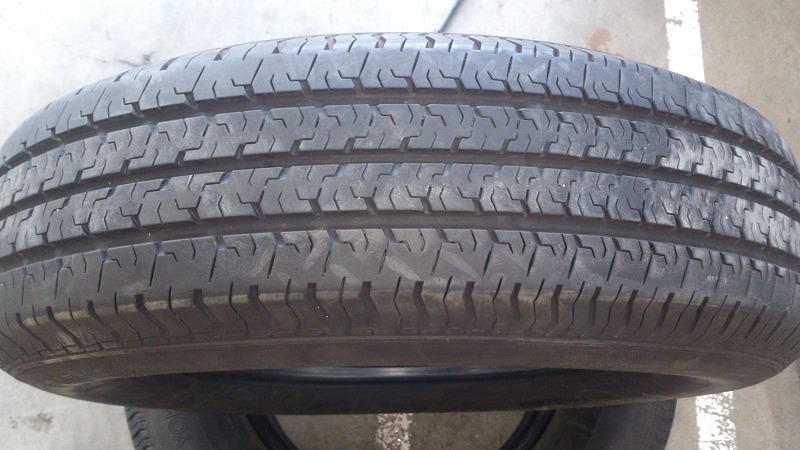
バリ山です
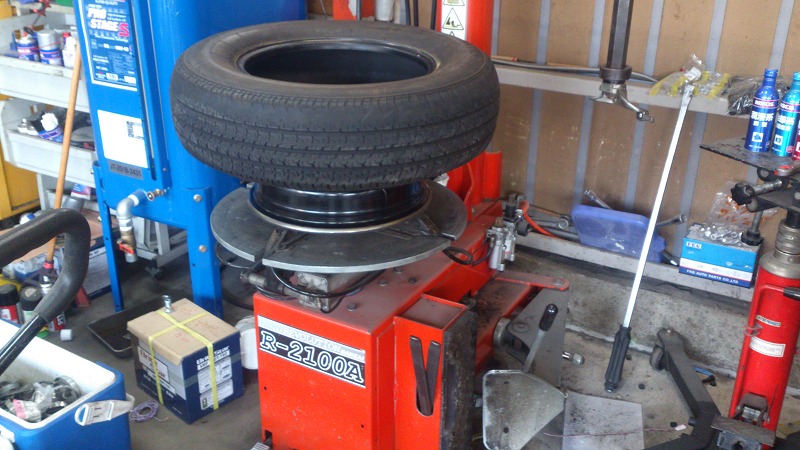
チェンジャー活躍
商用タイヤは重いので汗だくになりました
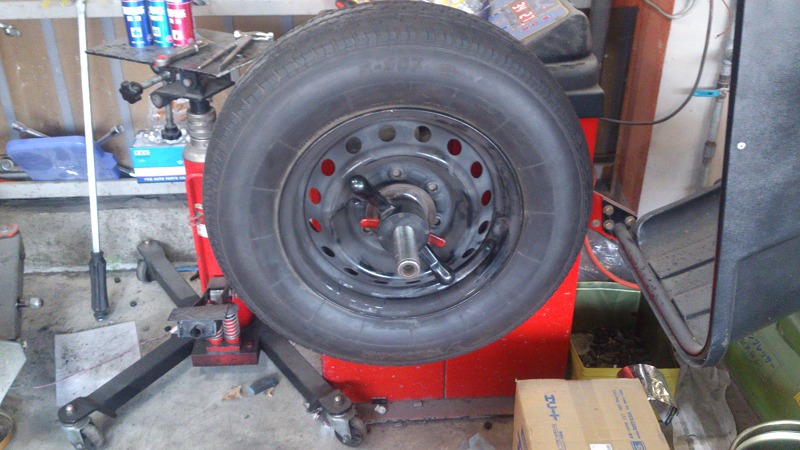
ホイールバランスもきっちりとります
装着してトルクをかけて完成です
車検、点検、整備も レストガレージ へ
えっちーのRG WORKSブログ携帯版はこちら
★★★★★★★★★★★★★★★★★★★★★★★★★★★★★★★★★★★★★★★★★
★★★★★★★★★★★★★★★★★★★★★★★★★★★★★★★★★★★★★★★★★
この記事へのコメント
(Sabrina)
With our free plan for personal use, you can remotely manage updates or maintenance on your devices.
It gives you access to all features and functionalities in one place, allowing you to manage and control devices remotely.
TeamViewer Intelligence redefines how remote access and support are delivered, empowering users to solve IT
challenges faster, smarter, and with greater confidence.
Access devices remotely and provide or receive support.
Define permissions and ensure only authorized users can establish remote connections,
enhancing security for businesses of all sizes.
Yes, Microsoft Remote Desktop Protocol (RDP) is a free remote access tool, but it requires complex network setups and lacks TeamViewer's ease of use and security.
TeamViewer remains committed to maintaining
this PC to PC remote access free of charge while providing premium options
for businesses and power users who require additional features.
Simply launch the software, enter your partner ID on a device you want to access,
and get instant access to your remote device.
With Wake-on-LAN, you can ensure devices are accessible whenever needed, even if they're powered off.
With centralized installation, IT teams can save
time and effort while ensuring consistent access
across their organization. TeamViewer enables secure access
across all major operating systems, including Windows, Mac,
Linux, iOS, and Android. RDP users typically face challenges with router configurations, firewall settings, and the significant limitation of only working between Windows devices.
It provides functionality such as screen sharing, file sharing,
remote connection and troubleshooting, and cross-platform connectivity,
all protected by security features like encryption and authentication. Use TeamViewer’s mobile app, QuickSupport
to remotely access your Android from anywhere.
It gives you access to all features and functionalities in one place, allowing you to manage and control devices remotely.
TeamViewer Intelligence redefines how remote access and support are delivered, empowering users to solve IT
challenges faster, smarter, and with greater confidence.
Access devices remotely and provide or receive support.
Define permissions and ensure only authorized users can establish remote connections,
enhancing security for businesses of all sizes.
Yes, Microsoft Remote Desktop Protocol (RDP) is a free remote access tool, but it requires complex network setups and lacks TeamViewer's ease of use and security.
TeamViewer remains committed to maintaining
this PC to PC remote access free of charge while providing premium options
for businesses and power users who require additional features.
Simply launch the software, enter your partner ID on a device you want to access,
and get instant access to your remote device.
With Wake-on-LAN, you can ensure devices are accessible whenever needed, even if they're powered off.
With centralized installation, IT teams can save
time and effort while ensuring consistent access
across their organization. TeamViewer enables secure access
across all major operating systems, including Windows, Mac,
Linux, iOS, and Android. RDP users typically face challenges with router configurations, firewall settings, and the significant limitation of only working between Windows devices.
It provides functionality such as screen sharing, file sharing,
remote connection and troubleshooting, and cross-platform connectivity,
all protected by security features like encryption and authentication. Use TeamViewer’s mobile app, QuickSupport
to remotely access your Android from anywhere.
[2025-12-31 07:43:11.645223]
URL